A client emails: "The checkout button isn't working on mobile." That's the whole report.
If your bug tracker is Jira, that one line now needs an issue type, a priority, a sprint (or backlog), maybe a component, maybe a story point estimate. None of which the client can fill in, because none of it is theirs to fill in. So you do it — translating a two-line email into a properly-fielded ticket — for every bug, for every client, all day.
That's the actual problem with using Jira for client-facing bug tracking. Not that Jira is bad. It's excellent at what it's built for: engineering teams planning sprints. Client bug reports aren't that, and forcing them into that shape is where the friction comes from.
Why Agencies Reach for Jira Anyway
If your team already runs sprints in Jira, giving clients a way in feels like the path of least resistance — one system, one source of truth, no new tool to learn. And if you're not running sprints at all — a freelancer or a two-person shop working straight from a task list — Jira can still feel like "the professional option," the tool real software companies use.
Both instincts make sense. Neither holds up once clients are actually the ones submitting bugs.
Where Jira Breaks Down for Client Bug Reports
Clients need a Jira account and a mental model they don't have
To report a bug in Jira, a client needs a login, a project they can see, and enough understanding of issue types and workflows to file something useful. Most clients have none of that. You end up either creating tickets on their behalf from an email, or watching a client-created ticket sit there with a title like "site issue" and no other detail.
The fields that make Jira powerful are the fields clients can't use
Issue type, priority, sprint, epic, story points, components — these exist so engineering teams can plan work. A client reporting a broken form doesn't have an opinion on which sprint it belongs in. They just want to say what's wrong and see when it's fixed. Every field you require of them is a field they'll leave blank or fill in wrong.
There's no way to just show you the problem
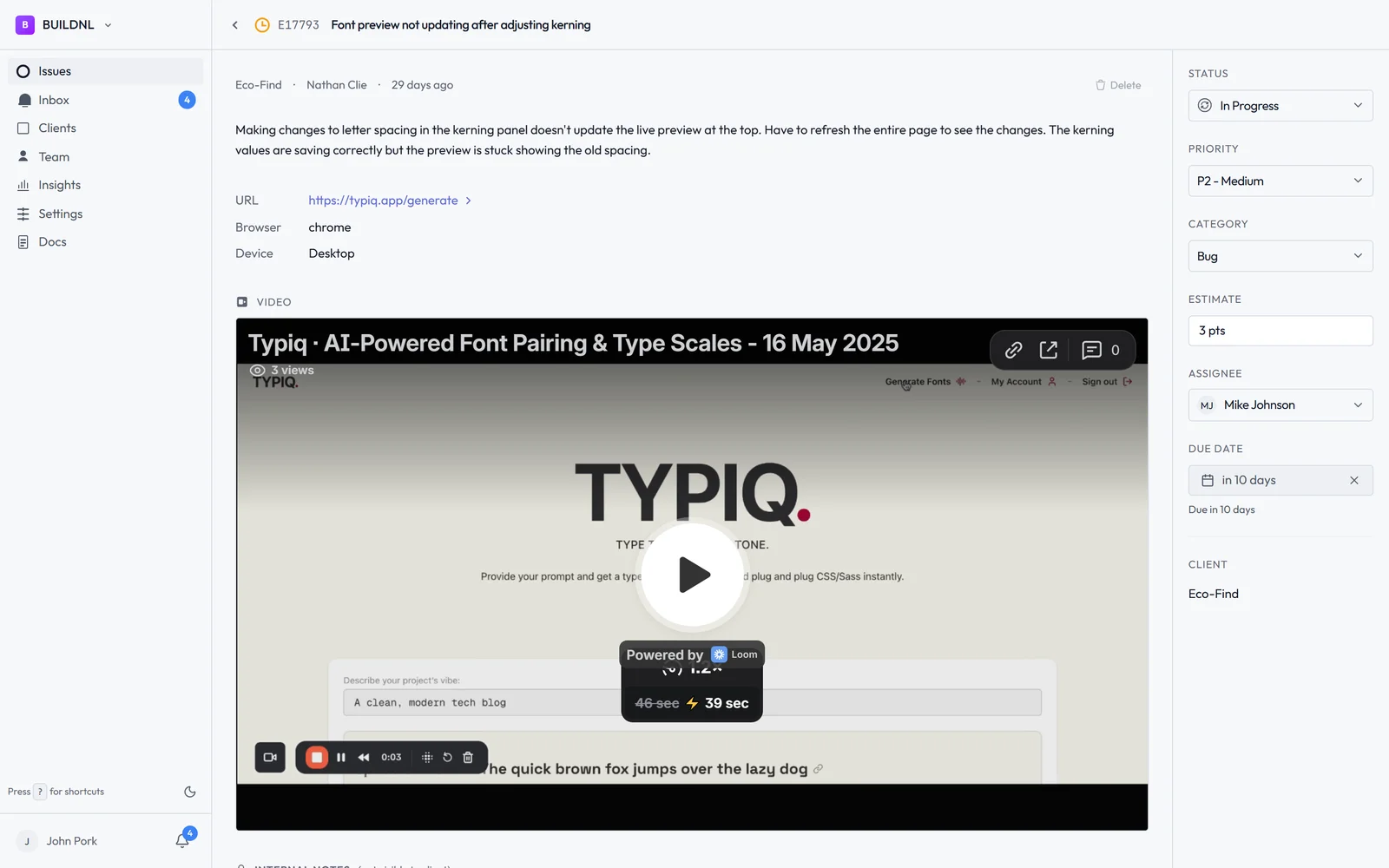
Most client bug reports are visual: something looks wrong, something doesn't respond, something breaks on their phone specifically. Jira doesn't have a way to record a quick video of what's happening — clients are stuck typing a description, and you're stuck asking "can you send a screenshot?" as a follow-up, every time.
It's licensed and priced for teams, not for one person or a handful of clients
Jira's per-seat pricing assumes an internal team of contributors. Adding clients as seats gets expensive fast, and doesn't reflect what they're actually doing — submitting the occasional bug, not participating in sprint planning. A solo freelancer with three retainer clients doesn't need Jira's per-seat model at all; they need a place for those three clients to report things.
Clients can't check status without learning the tool
Once a bug is filed, a client checking on it means logging into Jira and finding the right board — something most won't do twice. So they email instead: "any update on that bug from last week?" The tool meant to reduce back-and-forth adds it back in.
What Actually Fits Here — Whether You're a Team or Solo
None of this requires an internal team to be true. A freelancer working alone with five clients has the exact same problem as a ten-person agency: clients need a dead-simple way to report something's wrong, and you need one place to see all of it, without either side learning project management software.
What that actually takes:
- Clients join through an invite link you send them — not a public signup form anyone can stumble onto
- A report can just be a short video, not a form — show the problem instead of describing it
- You see every client's open issues in one place — without per-client boards or per-seat pricing
- Clients can check status themselves — without emailing to ask
- No sprint fields, no story points, no configuration — just what's broken and whether it's fixed
How Lantern Compares
| Jira | Lantern | |
|---|---|---|
| How clients get in | Invited as a full Jira seat | Invited via a link you send — no public signup |
| Video bug reports | ❌ No | ✅ Yes (Loom integration) |
| Sprint/story point fields required | ✅ Yes, by default | ❌ None |
| Pricing model | Per seat | Flat, unlimited clients |
| Built for a solo freelancer | ⚠️ Not really | ✅ Yes |
| Client status visibility | ⚠️ Requires a Jira login | ✅ Client portal |
| Keeps your Jira workflow for internal dev work | — | ✅ Optional one-way sync |
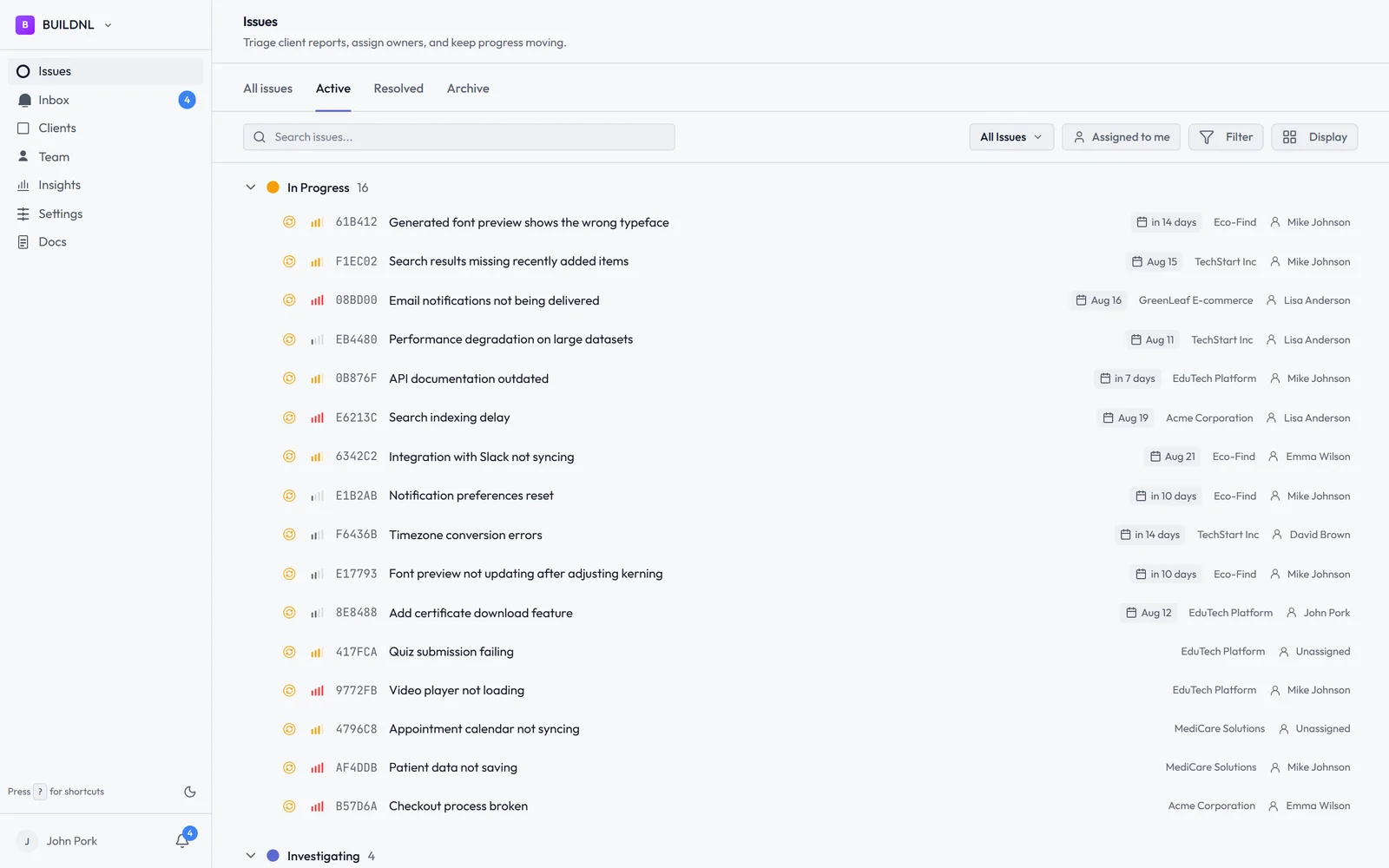
Lantern gives each client a portal through an invite link you send them — no public signup form, no Jira training, no per-seat license. They report what's wrong, optionally with a short video, and can check status themselves without emailing you. You see every client's open bugs in one dashboard, whether you're a solo freelancer or a ten-person team.
If Your Team Already Runs Jira Internally
You don't have to give it up. Lantern's Jira integration is one-way: client bugs come in through Lantern, and you can push them into Jira automatically for your dev team to work from there. Your internal workflow stays exactly as it is — clients just never have to touch it.
When Jira Is Still the Right Call
If the people filing issues are your own engineers, planning sprints, estimating story points, and shipping against a roadmap, Jira is still the right tool for that job. The problem isn't Jira — it's asking clients to work inside a system built for a completely different kind of work.
Simple bug tracking for agencies. No credit card required.