Look more professional while clients submit requests
Give each client a dedicated portal to submit tickets, track progress, and manage their team. No more "did you see my email?" or lost requests in email threads.
You decide who gets the link — no public signup form, no random submissions from strangers finding your site.
Stop managing client requests via email
Email threads, Slack messages, text messages — feedback arrives everywhere, nothing organized. Client portals centralize everything.
- ✗Requests reported via email, Slack, text
- ✗"Did you see my email?" follow-ups
- ✗Tickets lost in threads
- ✗Clients never see progress updates
- ✗You manually manage all client access
- ✓All requests submitted through one portal
- ✓Automatic progress notifications
- ✓Every ticket tracked and organized
- ✓Clients see real-time status updates
- ✓Clients manage their own team access
Whether you have 5 clients or 50
Web development agencies
Managing 10+ client websites? Each client gets their own support ticket portal. Separate, secure, organized. No crossover, no confusion.
- →Dedicated portal per client
- →Clients only see their own tickets
- →Self-service team management
Freelance developers
Give clients a professional portal for submitting requests instead of random emails and texts. Looks polished, keeps you organized, clients stay happy.
- →Professional client experience
- →Centralized ticketing
- →Automatic status updates
Product teams with clients
Building custom software for external clients? Give them a portal to submit requests and track progress. Keep client communication separate from internal tools.
- →Client-facing support tickets
- →Separate from internal tools
- →Progress transparency
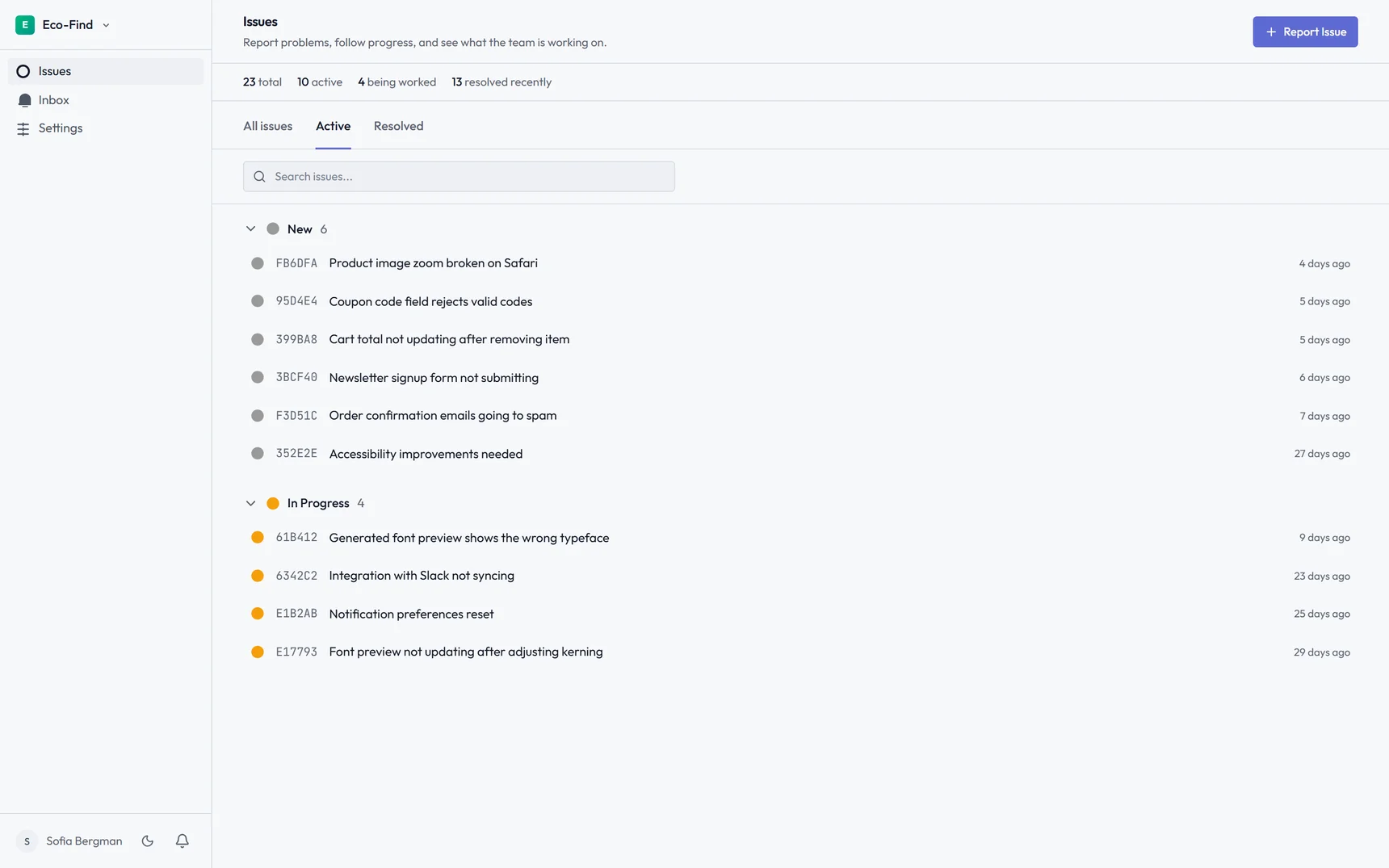
Each client gets their own dedicated portal
They submit tickets — with a video walkthrough if it's easier to show than explain — track resolution progress, and manage their own team access. You eliminate "can you add Sarah?" requests and stray email tickets entirely.
Clients control their own access
Client admins invite team members, remove access when people leave, and manage permissions — all without your involvement. Your agency focuses on resolving tickets, not managing client user accounts.
- Client admins invite team members
- Separate portals per client
- Clients only see their own tickets
Trusted by 10 agencies and freelancers who've already moved their client feedback off email and Slack.
How it works
A simple workflow that puts clients in control of their own access and requests.
Create client portal
Set up a client in Lantern. They get their own portal URL where they can access their tickets and manage their team.
Clients manage access
Client admins invite their team members, set roles, and control who can see what. You don't have to manage any of it.
Your team resolves with less admin
Tickets arrive organized by client, clients see progress automatically, and your agency spends more time resolving work than chasing context.
Frequently asked questions
How do client support ticket portals work?▼
You send each client an invite link (e.g., lanternhq.app/portal/acme-corp). There's no public signup form — only people you've invited can set up an account. Once they do, they submit tickets with an optional video walkthrough, track status, and manage their team from the same link.
Can clients see each other's tickets?▼
No. Each client portal is completely separate. ACME Corp only sees their tickets, TechCo only sees theirs. Perfect data isolation for agencies managing multiple clients. Clients never see your other clients' information.
Do clients manage their own team access?▼
Yes. Client admins can invite team members, remove access, and set permissions — all without contacting you. When someone leaves their company, they remove access themselves. You never touch client user management.
Is this better than email for support ticketing?▼
Much better. Email requests get lost in threads, lack organization, and clients never see progress updates. Client portals centralize every ticket, provide automatic status notifications, and keep everything organized per client. No more "did you see my email?" messages.
Does this work for WordPress maintenance clients?▼
Yes. Client portals work for any type of website — WordPress, custom builds, e-commerce sites, web apps. The portal is external to the client's website, so no WordPress plugin required. Clients just open their portal link to submit a ticket.
Can I white label the client portal?▼
Custom branding and white labeling are on the roadmap. Portals currently use Lantern branding with your agency name displayed prominently. Contact hello@lanternhq.app to be notified when white labeling is available.
How many client portals can I create?▼
Individual plan: 5 clients. Team plan: unlimited clients. Each client gets their own separate portal. Perfect for agencies managing many client relationships who need organized, scalable support ticketing.
Stop managing client requests over email
Client portals are included on all plans. Individual starts from £12.50/mo. Set up your first client in minutes.