If you build Umbraco sites for clients, you already know the email. "Something's broken on the homepage." No screenshot. No browser. No steps to reproduce. Just vibes and mild panic.
The back-and-forth to get enough information to actually fix the issue can take longer than the fix itself. Multiply that across a handful of clients and it becomes a real time sink.
The Lantern Umbraco package solves this by adding a floating bug report button directly to your client's site — so they can report issues in context, with the right details attached, without leaving the page.
The problem with bug reports from Umbraco clients
Most agencies fall into one of two patterns:
Email. Client spots something wrong on their site, writes a message, and sends it. By the time it reaches you it's lost most of its useful context. You ask follow-up questions. They reply eventually. You finally understand the bug and fix it in ten minutes — after an hour of email tennis.
Manual process. Some agencies set up Jira, Linear, or a shared spreadsheet and ask clients to log bugs there. Most clients don't. The barrier is too high for someone who just wants to tell you the contact form stopped working.
What actually works is a reporting tool that's already on the page when the client notices the problem. One click, fill in the details, done. No new tab, no separate login, no explaining the system.
That's what the Lantern Umbraco package gives you.
How the Lantern Umbraco package works
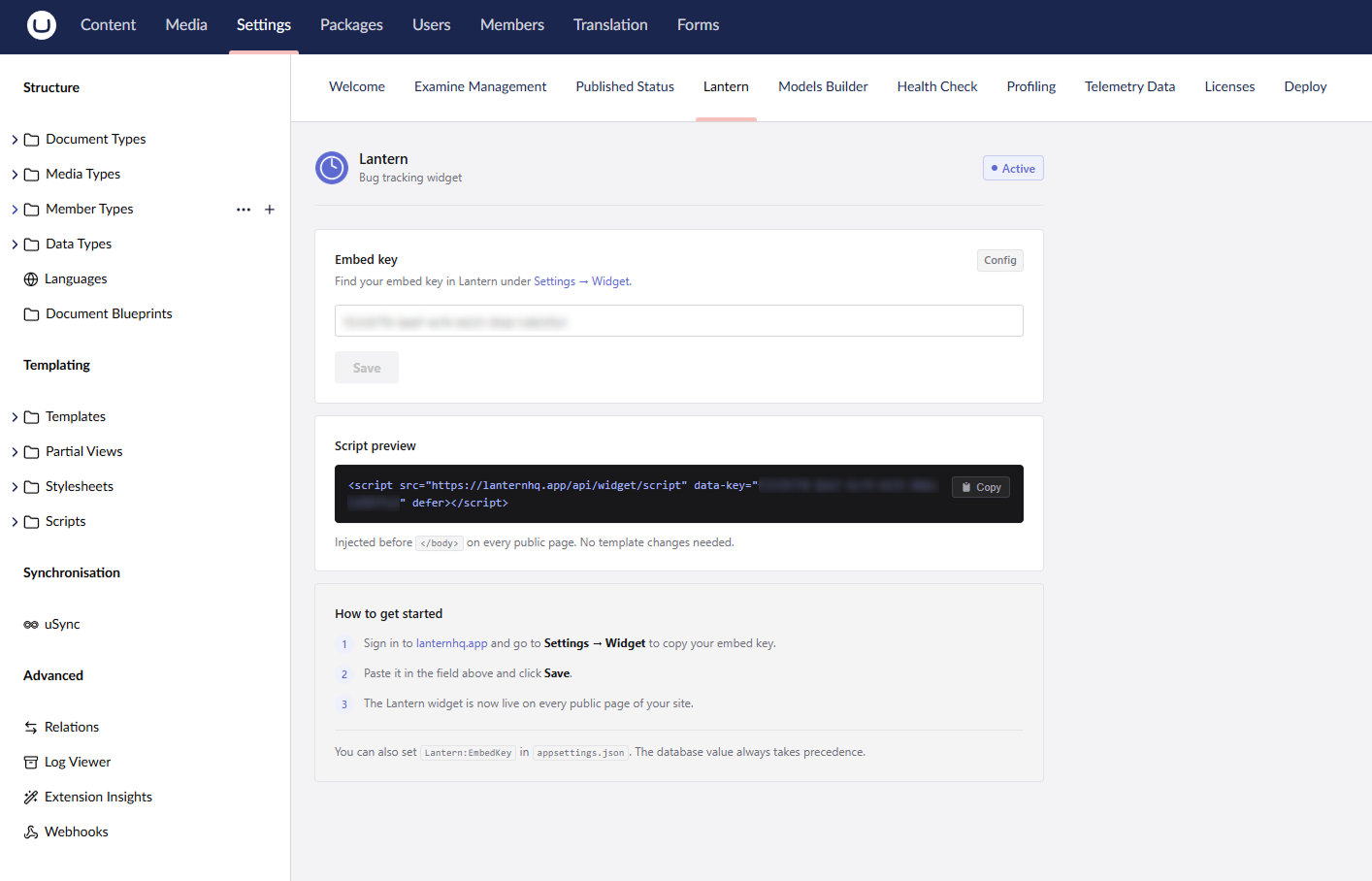
Install the package on your Umbraco site, paste in the embed key from your Lantern dashboard, and a floating bug report button appears on the frontend of the site.
The important part: it only shows up for logged-in Umbraco backoffice users. Regular visitors — customers, the public, anyone without a backoffice session — never see it. The widget is completely invisible to them.
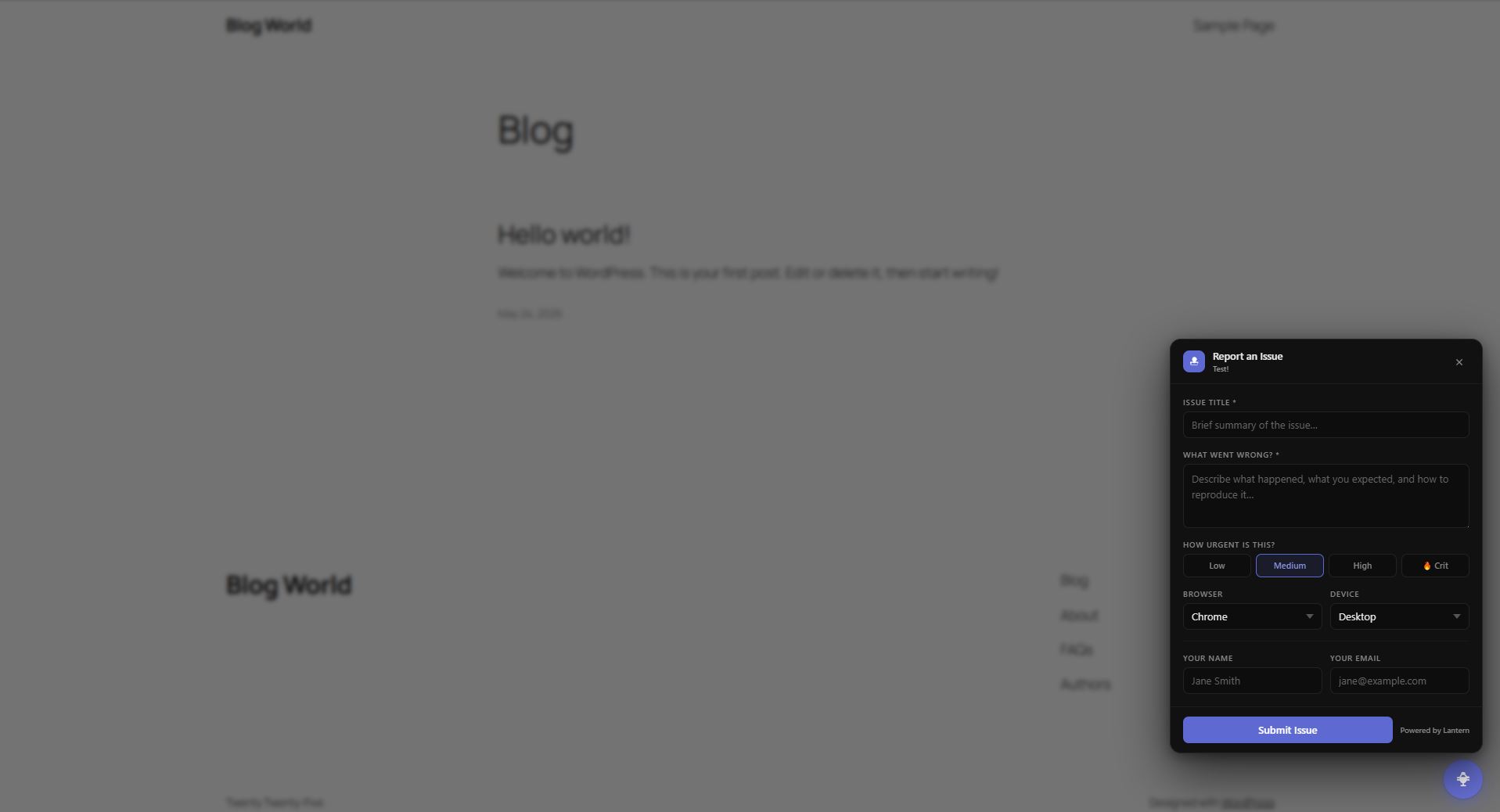
When a client (who has backoffice access) is browsing their own site and spots an issue, the button is right there. They click it, fill in a short form describing the problem, and it lands straight in Lantern as a tracked issue. You get notified. Nothing gets lost in email.
Why the backoffice-only gate matters
A bug reporting widget that appears for everyone would be a problem. You'd either end up with public visitors filing noise, or you'd have to strip the widget out before the site goes live.
The Lantern package solves this by checking for an active Umbraco backoffice session before rendering anything. It detects the UMB_PREVIEW cookie (set when an editor opens the frontend via Umbraco's preview function) and the UMB-BACKOFFICE cookie (set when an editor has the backoffice open and visits the frontend directly). If neither is present, the widget doesn't render — no button, no script output visible to the user, nothing.
This means you can install it once and leave it running. It's there for your client when they need it, and completely invisible to everyone else. No conditional logic to maintain, no toggling it on and off around launches.
Installing the Lantern Umbraco package
The package is available on NuGet and the Umbraco Marketplace.
Via .NET CLI:
dotnet add package Lantern.Umbraco
Via Package Manager Console:
Install-Package Lantern.Umbraco
Once installed, go to your client's page in the Lantern dashboard and copy their embed key. Add it to your appsettings.json:
{
  "Lantern": {
    "EmbedKey": "your-client-embed-key-here"
  }
}
That's it. Build and run — the widget will appear on the frontend for any logged-in backoffice user, and only them.
Each client in Lantern gets their own embed key, so if you manage multiple Umbraco sites you can install the package on each one with a different key and all their bugs route to the right place automatically.
What your clients see
When a client with backoffice access is on their site and notices something broken, they click the floating button in the corner. A small form slides open asking for:
- A title for the issue
- What went wrong and how to reproduce it
- Urgency (Low / Medium / High / Critical)
- Browser and device (pre-filled from their session)
- Their name and email (optional)
They hit submit. The issue appears in Lantern, tagged to their client space, ready for you to triage. If you have Jira connected, it creates a ticket there too.
No training required. No new tools for the client to learn. It's a form on a page they're already on.
Where to get it
- NuGet: nuget.org/packages/Lantern.Umbraco
- Umbraco Marketplace: marketplace.umbraco.com/package/lantern.umbraco
If you're not using Lantern yet, you can create a free account at lanternhq.app — each client gets their own portal and embed key, and the package works with any of them.
Bug tracking for agencies. Works with Umbraco and WordPress. No plugin required for the portal — or one package install for the embedded widget.
Questions about the Umbraco package? Email hello@lanternhq.app or open an issue on the package repository.
Simple bug tracking for agencies. No credit card required.