Widget Overview
The Lantern widget is a small, embeddable script you add to your client's website. It adds a feedback button that lets logged-in users report bugs, request features, or ask questions without leaving the page — and submissions land directly in your Lantern workspace.
#How it works
- You install the Lantern plugin or package on the client's WordPress or Umbraco site.
- When a logged-in CMS user visits any page on the site, the widget button appears.
- The user clicks the button, fills in a short form, and submits.
- The issue appears instantly in your Lantern workspace under that client.
No accounts, no logins, no separate tool for the client to learn.
#What the user sees
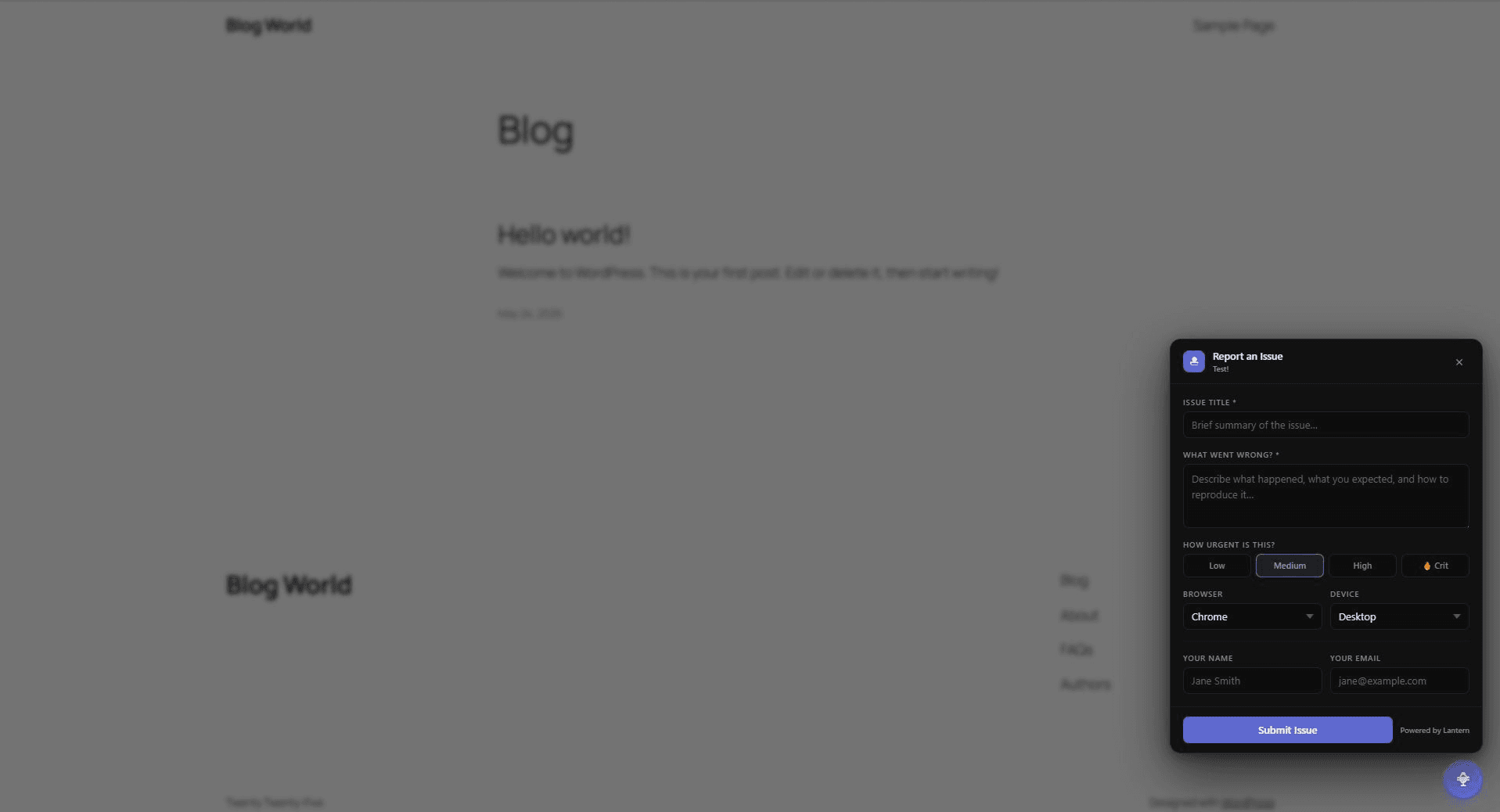
The widget adds a small button (typically in the corner of the screen). Clicking it opens a panel with a form:
- Title — a short summary
- Description — what happened and any relevant detail
- URL — pre-filled with the current page URL
- Browser / Device — pre-filled from the user's browser
- Urgency — how urgent the issue is
- Name / Email — optional contact details for the submitter
On submission, the user sees a confirmation and the panel closes. Nothing is sent to a third-party service — submissions go directly to your Lantern workspace.
#Auth gates
The widget only shows to logged-in CMS users. Regular site visitors never see it.
- WordPress — shows only to logged-in WordPress users
- Umbraco — shows only to logged-in Umbraco backoffice users
See Auth Gates for full details.
#The embed key
Each client has a unique embed key. The widget script uses this key to:
- Validate that the key is active before showing the button
- Route all submissions to the correct client in your workspace
Your embed key is found on the client's page in your workspace, under the Embed tab.
#Installation
| CMS | Guide |
|---|---|
| WordPress | WordPress setup |
| Umbraco | Umbraco setup |
#Submissions in your workspace
Widget submissions appear in your client's issue list with:
- The submitter's name and email (if they filled them in)
- The URL of the page they were on
- Their browser and device
- The title and description they typed
If your organisation has only one team member, submissions are automatically assigned to that person.
#Branding
On the Individual and Team plans, you can remove the "Powered by Lantern" attribution from the widget.