Insights & Analytics
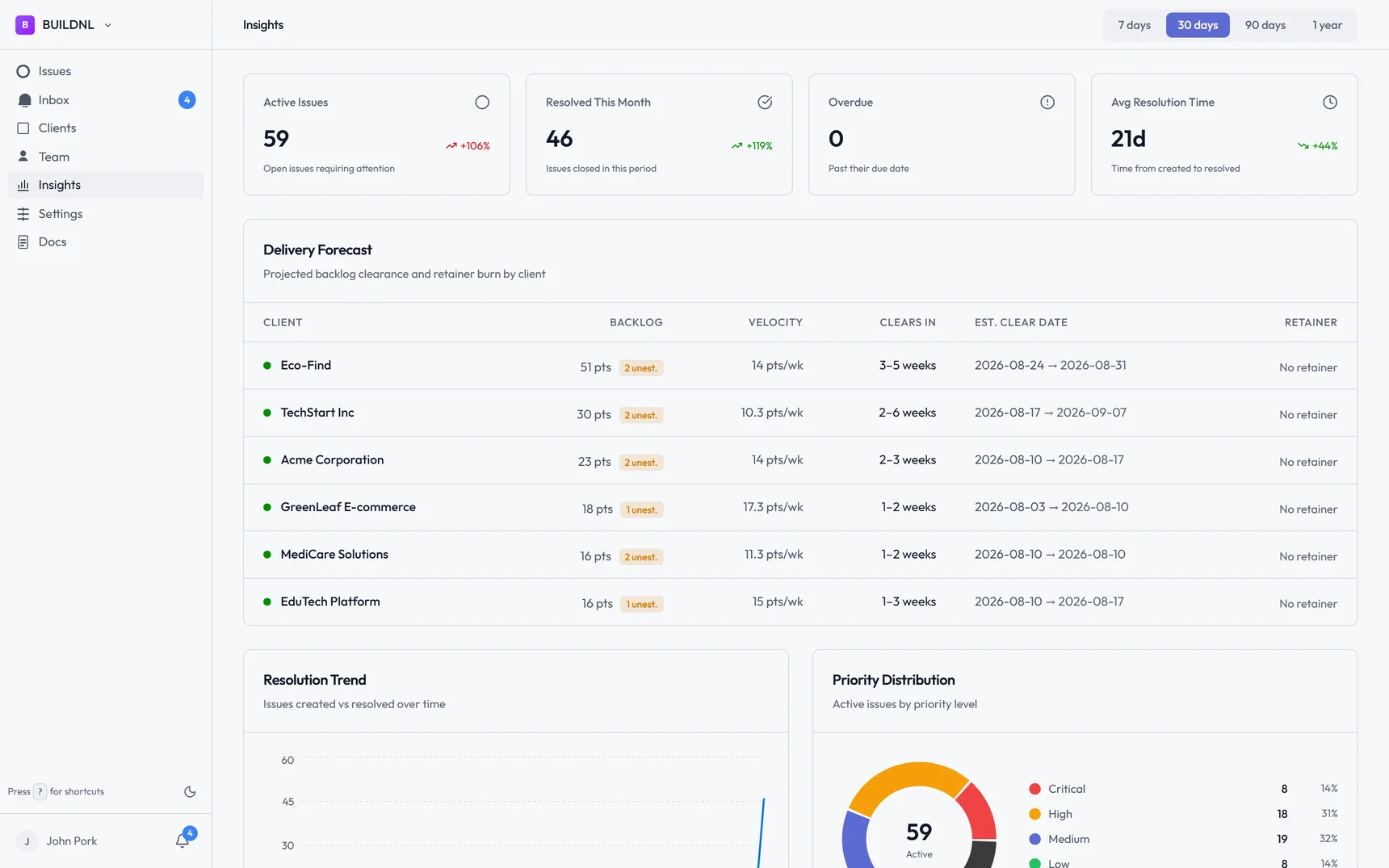
The Insights section gives you a high-level view of how issues are being managed across your workspace — useful for tracking team performance, spotting trends, and reporting to clients.
#Accessing Insights
Click Insights in the sidebar of your team workspace. This section is only available to team members (not client users).
#What's covered
#Overview
A summary dashboard showing:
- Total open issues across all clients
- Issues by status
- Issues submitted in the last 7, 14, and 30 days
- Recent activity
#Team performance
Metrics focused on how your team is handling issues:
- Issues assigned per team member
- Average time to first response
- Average time to resolution
- Issues resolved per period
#Client activity
Breakdown per client:
- Number of open and closed issues
- Submission trends over time
- Most active clients
#Resolution trends
Charts showing:
- Issues opened vs closed over time
- Average resolution time trends
- Backlog growth or shrinkage
#Filtering by date range
Most insights views let you filter by a date range. This is useful for preparing monthly reports or reviewing activity from a specific project phase.
#Using insights for client reporting
The Insights section is designed to help you build reports for clients and justify your team's work. You can use it to show:
- How quickly your team responds to new issues
- How many issues were resolved in a given period
- Which clients are most active
#Data accuracy
Insights are calculated in real time from your live issue data. They reflect the current state of all issues, including archived ones where relevant.